HOW IT WORKS

One platform.
Your entire musical journey.

From first study to composition: discover how Musiway supports every step of your practice.

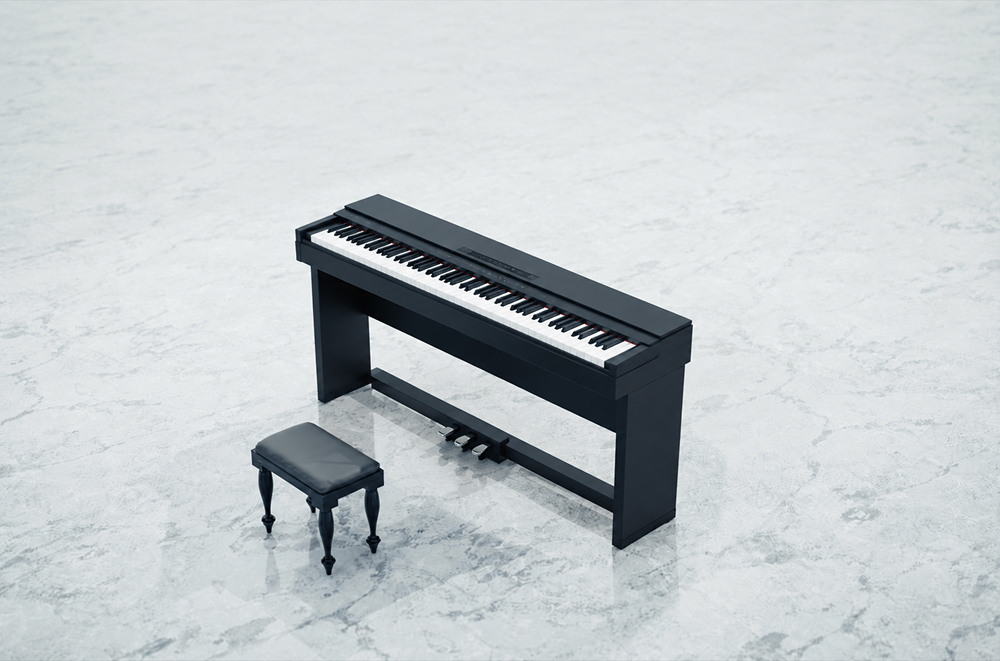
Black grand piano in a bright hall
Every note matters.Accuracy. Rhythm. Intonation.
MUSIWAY / HOW IT WORKSPlay. Practice. Progress.

From the first listen
to your progress.

Four moments that shape every session, from your first look at the score to your progress over time.

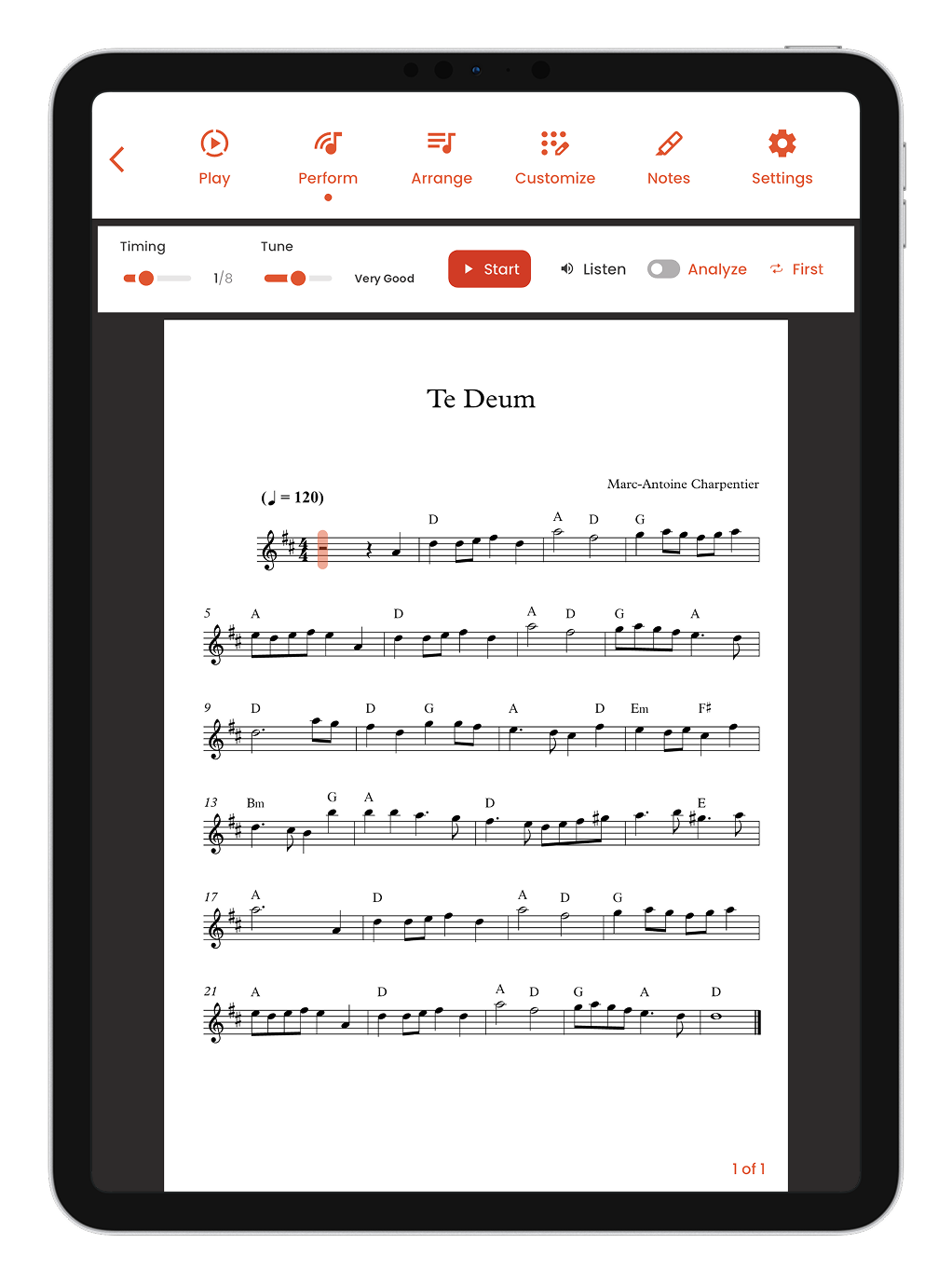
Listen to the score before you play

Understand the music before you even start studying. Play back the score and get familiar with the melody, rhythm and structure.

Musiway on iPad: the Perform bar with Start, Listen and Analyze controls above the scoreAPP SCREENS

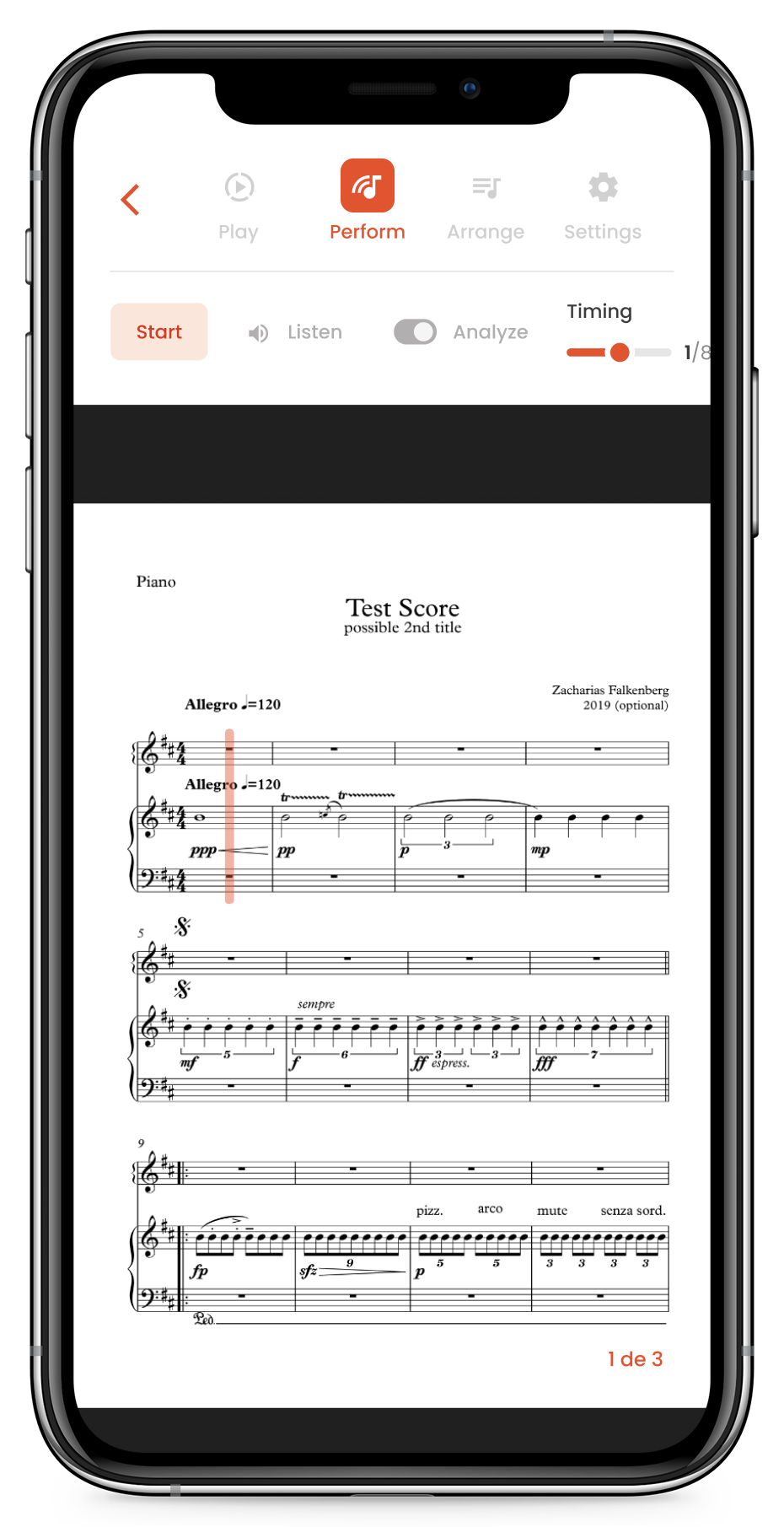
Play along with the score

Track your position in the music in real time. The score advances with you as you practice.

Musiway on iPhone: the Perform tab with Start, Listen and Analyze controls and the cursor on the scoreAPP SCREENS

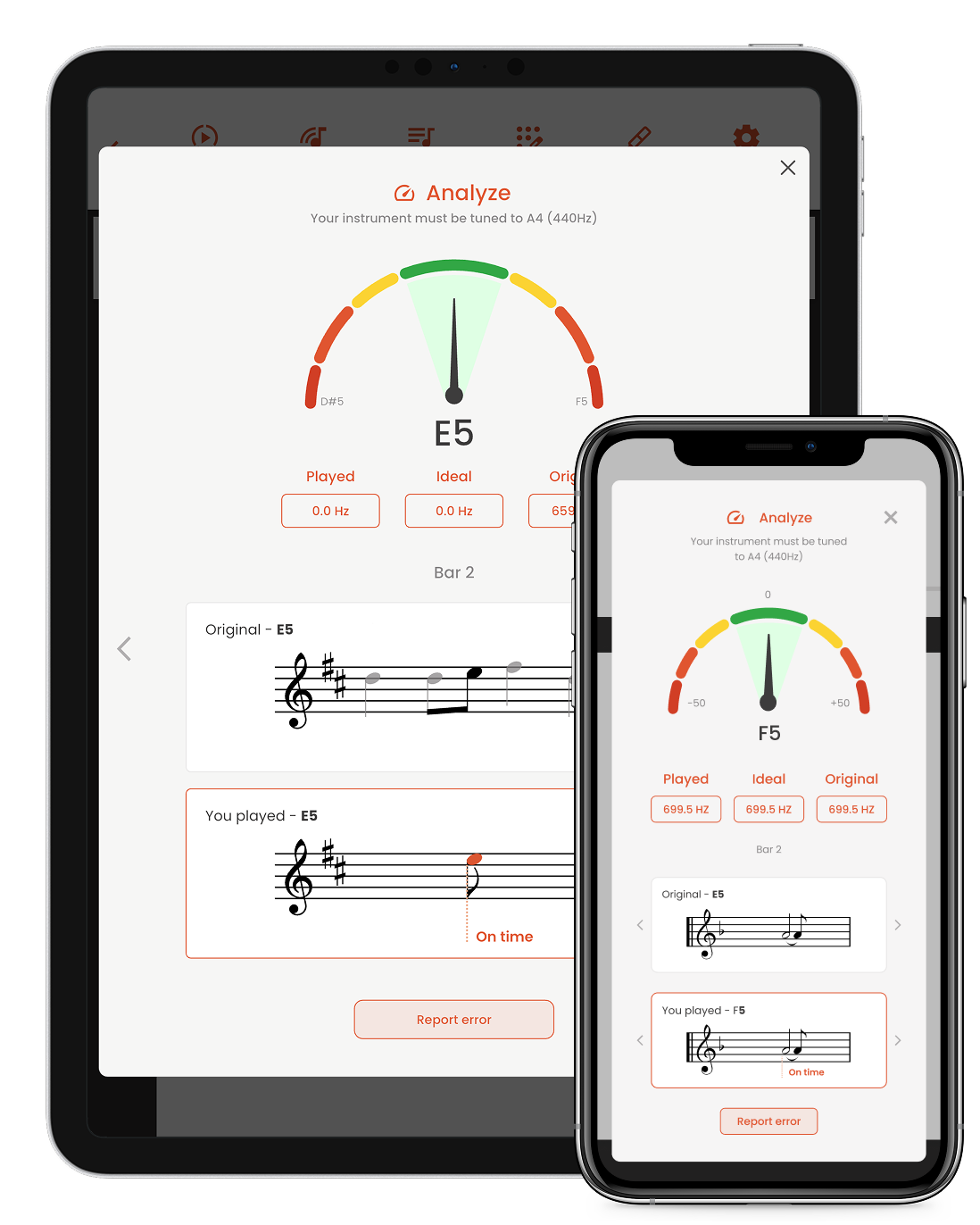
Real-time performance analysis

Musiway listens to your performance and shows where you can improve. Pitch, rhythm, notes and performance, all in real time.

Musiway on iPad and iPhone: the Analyze screen shows the note played, its intonation, the bar and a comparison with the original scoreAPP SCREENS

See your progress

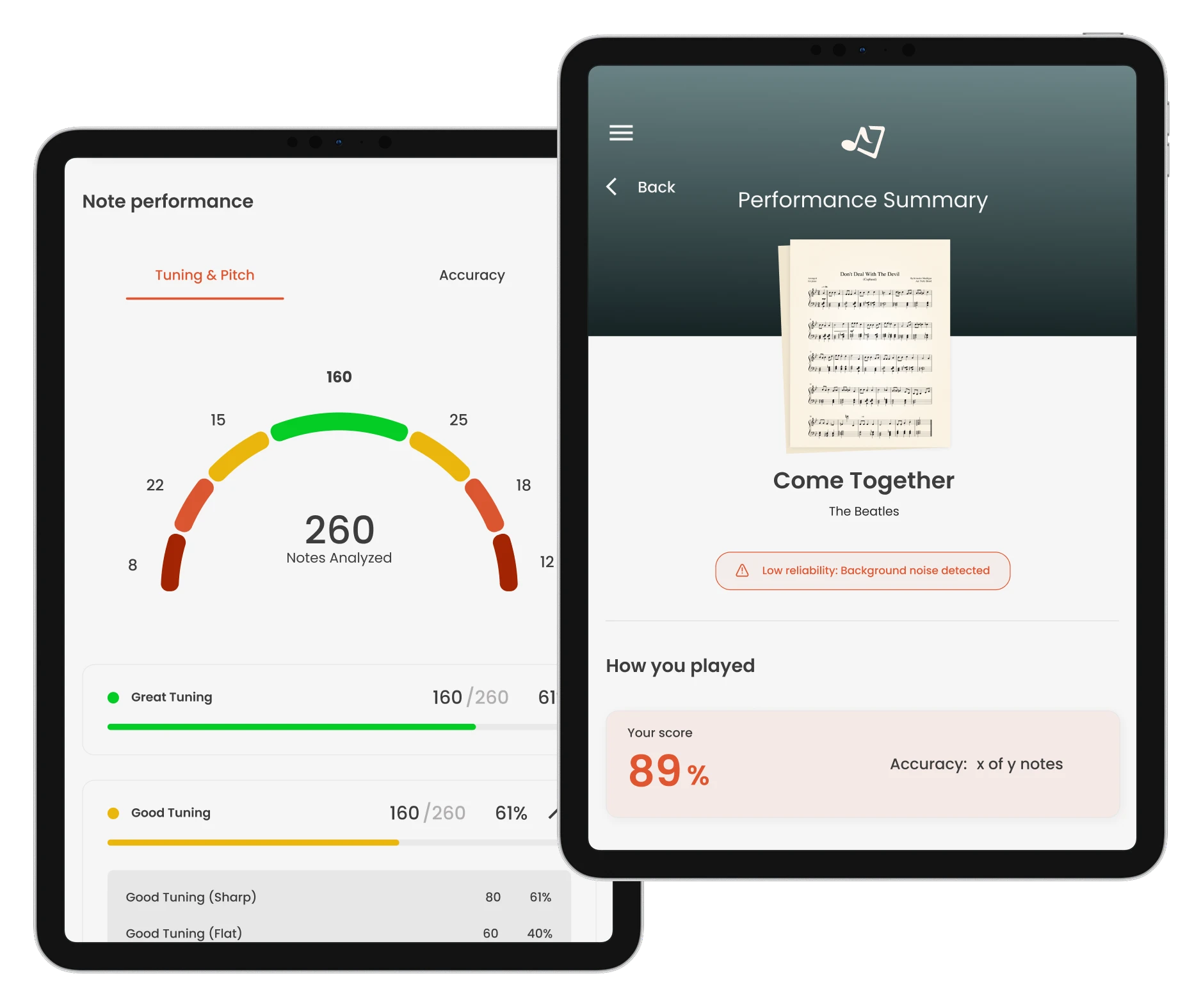
Turn hours of practice into measurable progress. Track statistics and see how you evolve over time. Coming soon to the app.

Preview of Musiway on two iPads: the performance summary, with score and accuracy, and the note performance, with tuning and notes analyzedFEATURE PREVIEW

More control.
Less effort.

Tools to adapt the music to your moment and your instrument.

Import your sheet music

Upload XML or PDF files up to 5 MB. With automatic import, AI converts the score quickly, ideal for single-line scores, though it may need adjustments. With manual import, the Musiway team prepares the score and returns it to your app within a few days, with higher accuracy.
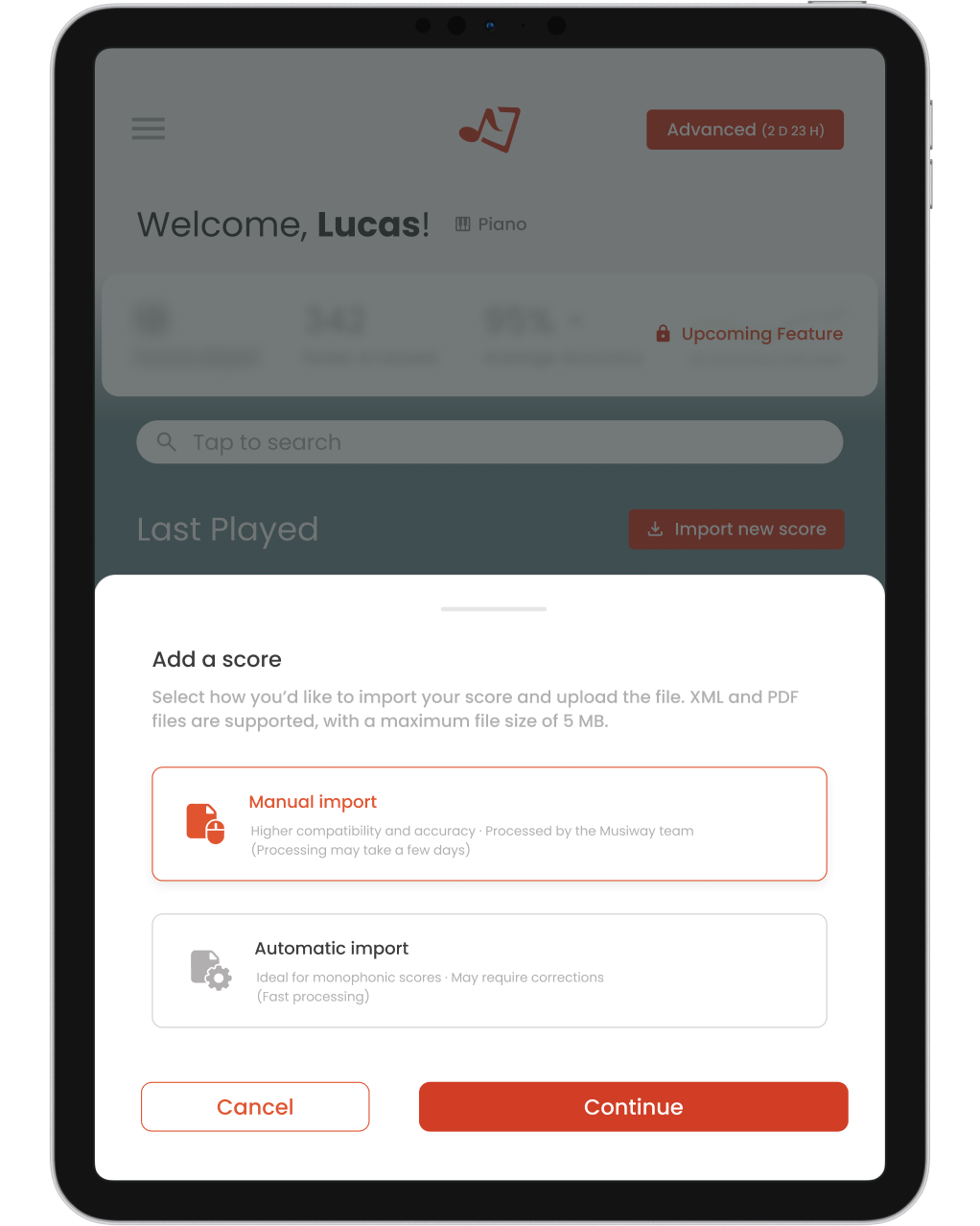
Musiway on iPad: the Add a score dialog, with manual and automatic import optionsAPP SCREENS

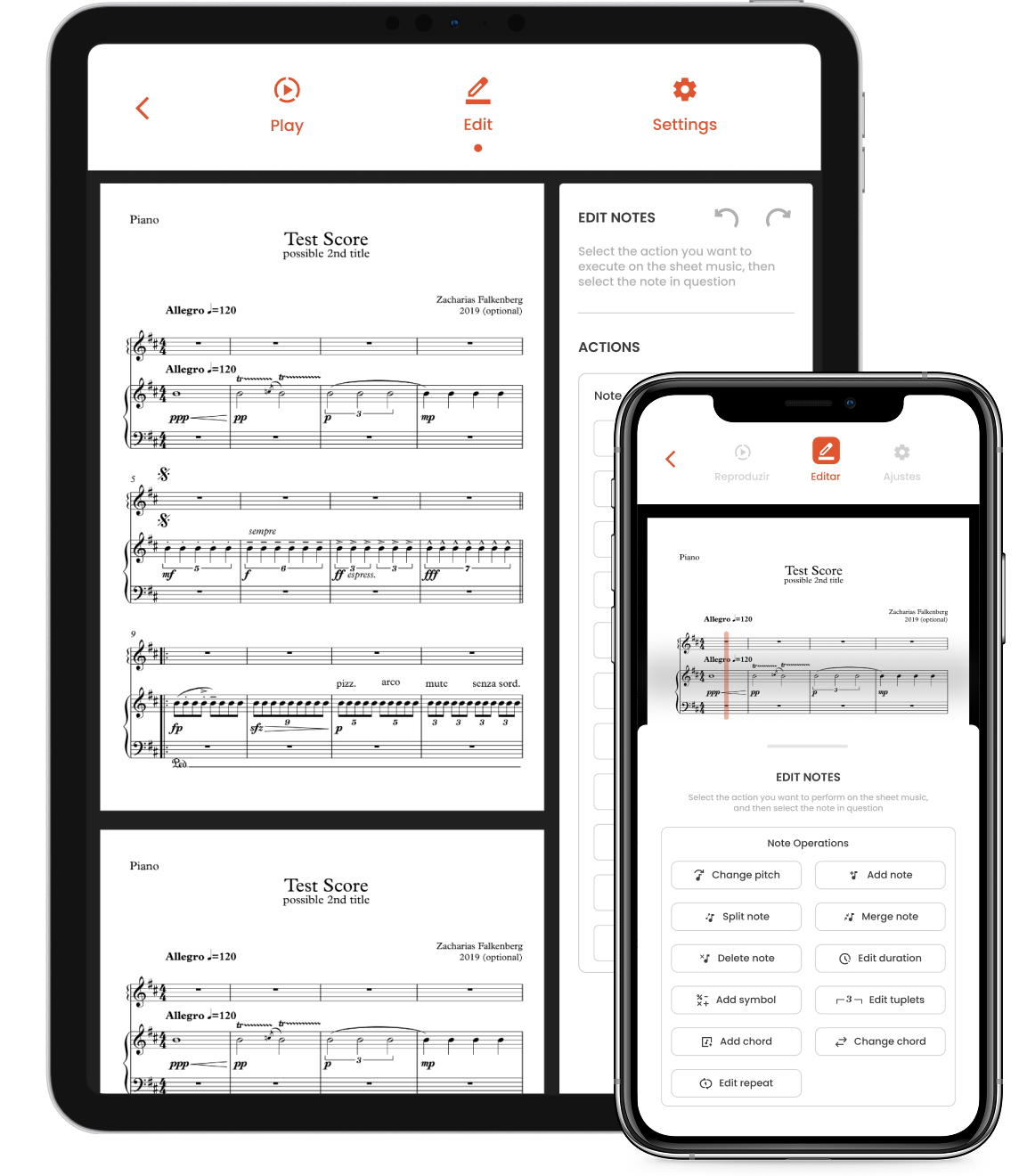
Edit note by note

Select a note to change its pitch, split, merge or delete it. Add notes, chords and symbols, and adjust durations and repeats.

Musiway on iPad and iPhone: the Edit tab with note operations such as change pitch, split, merge and add chordAPP SCREENS

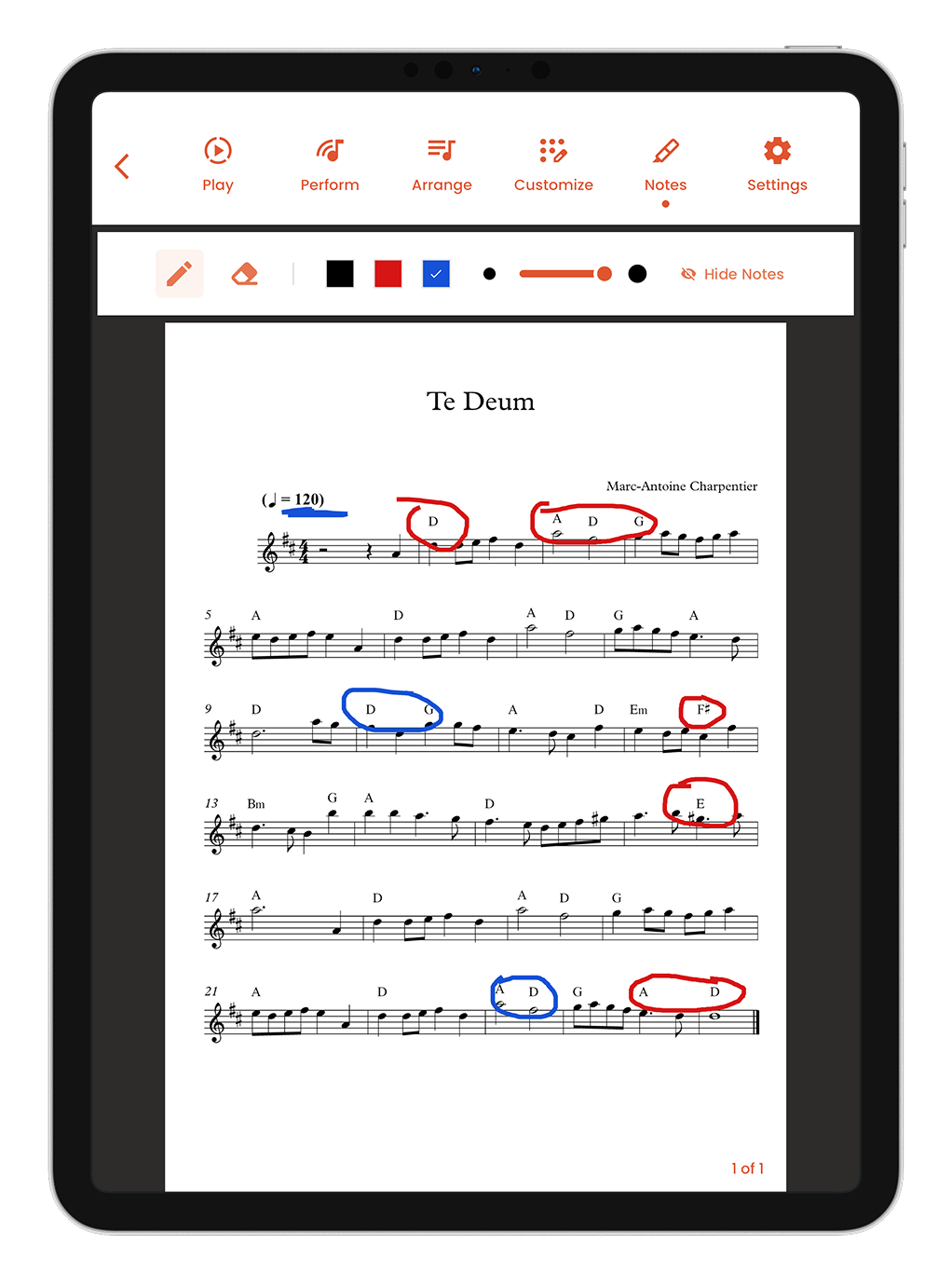
Annotate the score

Write, circle and highlight with a pen in different colors. Erase whenever you like, and hide your annotations to read a clean score.

Musiway on iPad: the Notes tab with pen, eraser, three colors and passages circled on the scoreAPP SCREENS

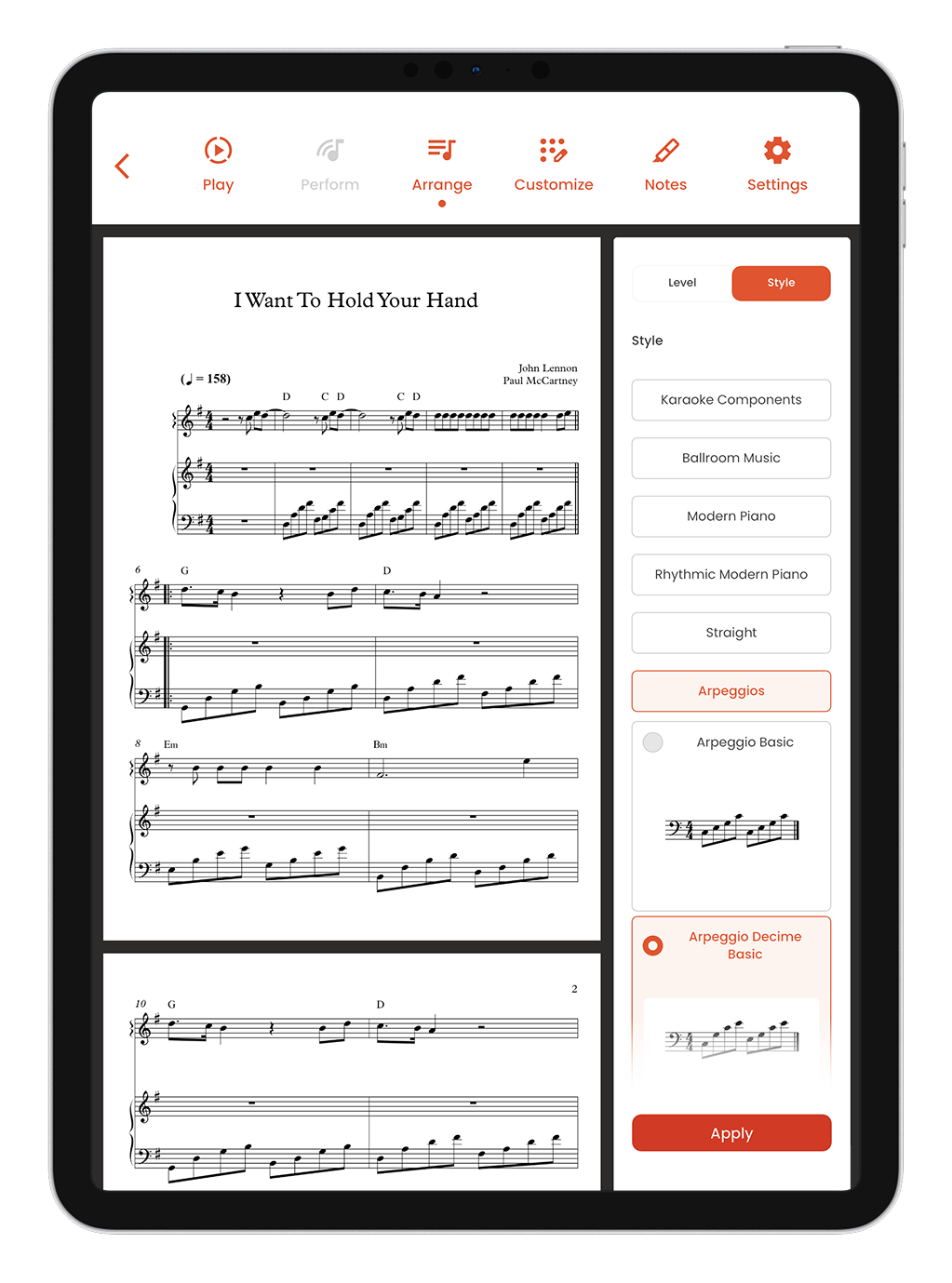
Create arrangements automatically

Create arrangements automatically with just a few taps. Save hours of work, explore new styles and unlock new musical possibilities.

Musiway on iPad: the Arrange tab with the score and the list of accompaniment styles, one style selected and the Apply buttonAPP SCREENS

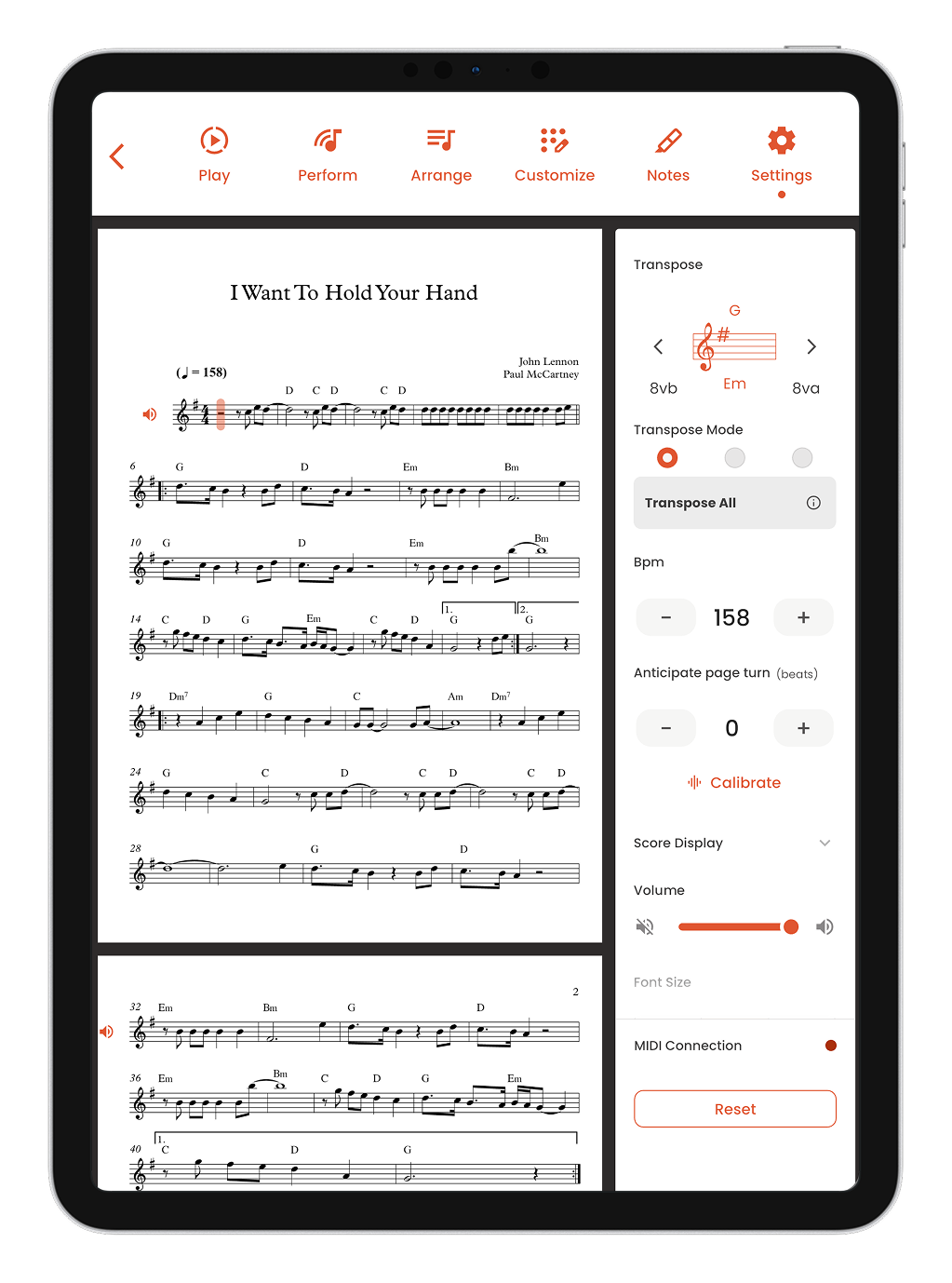
Configure the score your way

Adjust tuning, BPM, font size, page-turn anticipation and more. Customize every detail for your practice.

Musiway on iPad: a score open next to the settings panel, with transpose, BPM, page-turn anticipation and score displayAPP SCREENS

Still have
questions?

See all questions→
How does real-time performance analysis work?

Musiway uses your device's microphone to listen as you play and shows in real time where you can improve: pitch, rhythm, notes and overall performance.

Which instruments does Musiway support?

Musiway works with violin, clarinet, saxophone, trumpet, piano, strings, cello and many more. Whatever your instrument, the platform adapts to your journey.

Do I need musical experience to get started?

No. Musiway is built for musicians at every level, from first study to professional performance. You can listen to scores, play along, get real-time feedback and grow at your own pace.

Take the next
step. Play.

Your instrument has so much to say.
Discover what you can do with it.